If you have an access code, kindly refer to below:
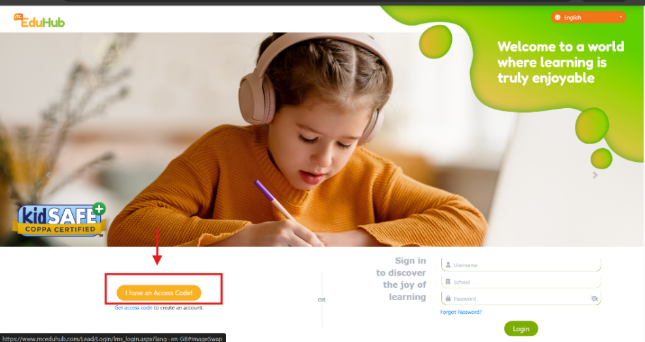
1. Access the website www.mceduhub.com.
2. Click "I have an access code" inside the website and input the access code.
Please see the photos below.
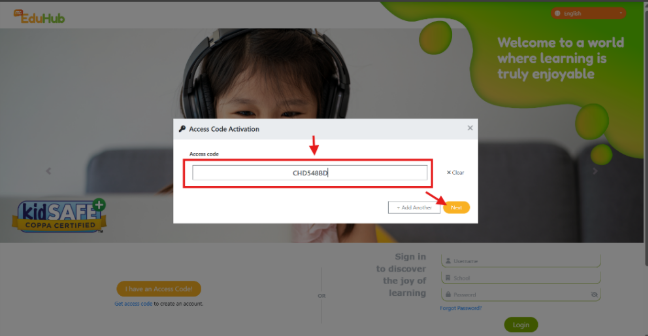
3. Input the needed details.
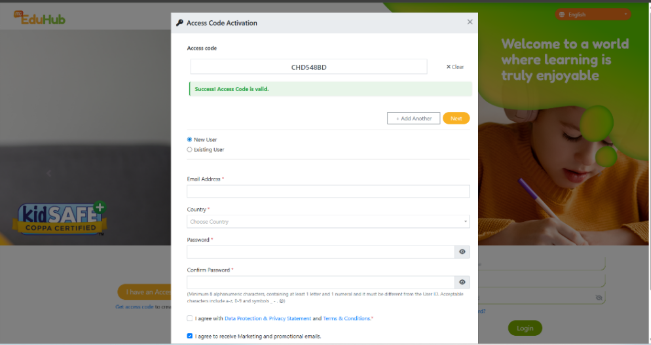
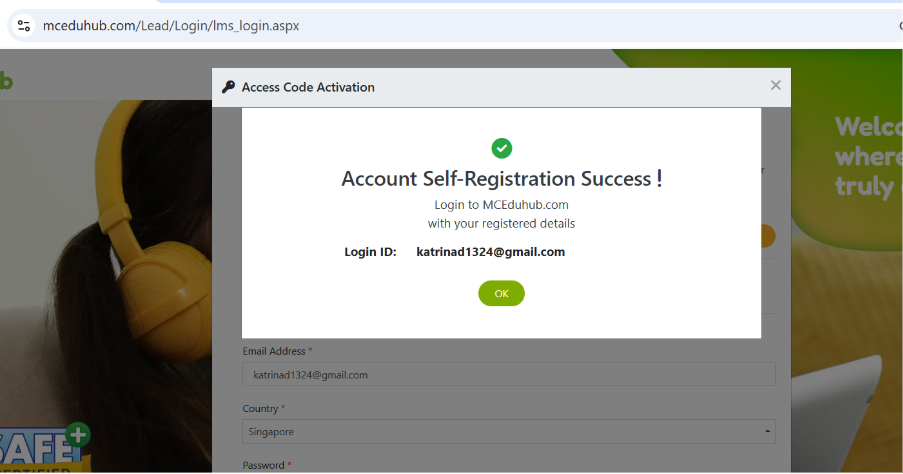
4. Click the submit button. The Account Self-Registration Success message will be displayed with your Login Id.
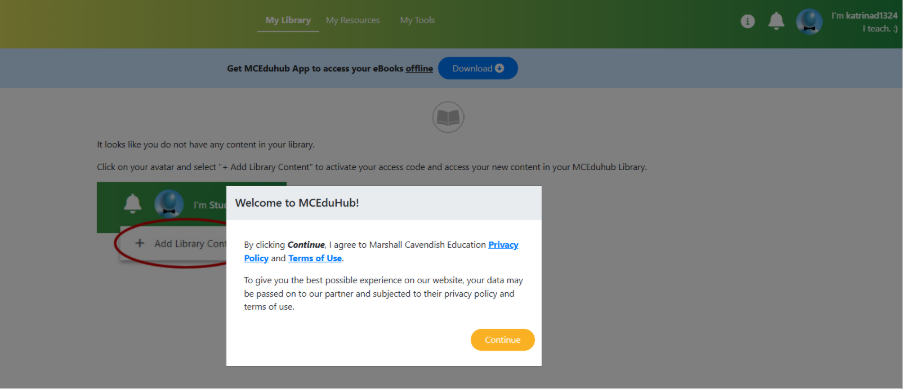
5. Click the ‘OK’ button – This will automatically log you in www.mceduhub.com and you will be redirected to My Library.
Note: If you redeemed an access code for Parent Resources (https://www.mceducation.com/digital-and-ai/parents-resources) and you find your My Library empty, kindly check under My Resources > Shared with Me. Our downloadable audio resources and answer keys can be found here.
Was this article helpful?
That’s Great!
Thank you for your feedback
Sorry! We couldn't be helpful
Thank you for your feedback
Feedback sent
We appreciate your effort and will try to fix the article