If you have received your MCEduHub access code, you can activate the access code by following the below instructions
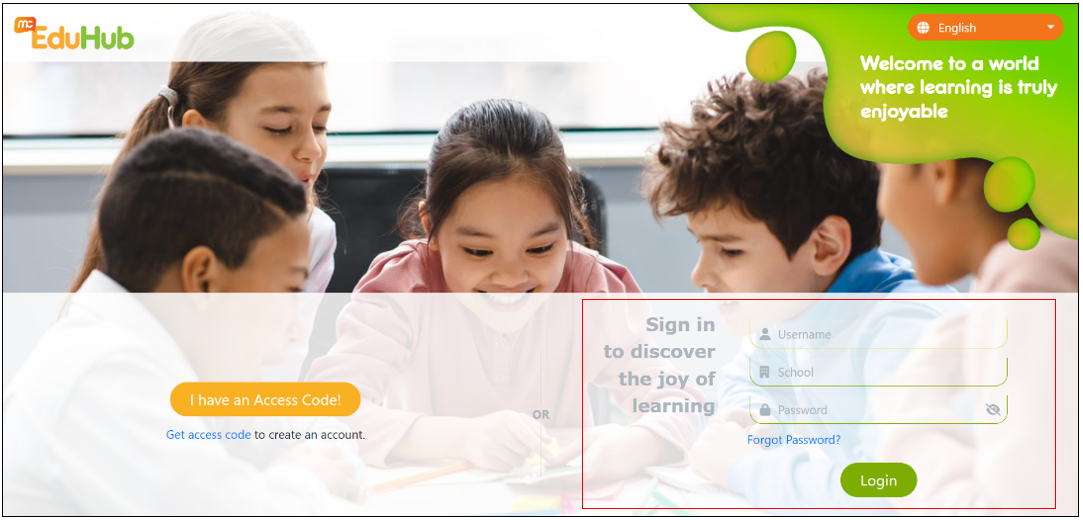
Step 1: Login to MCEduHub.
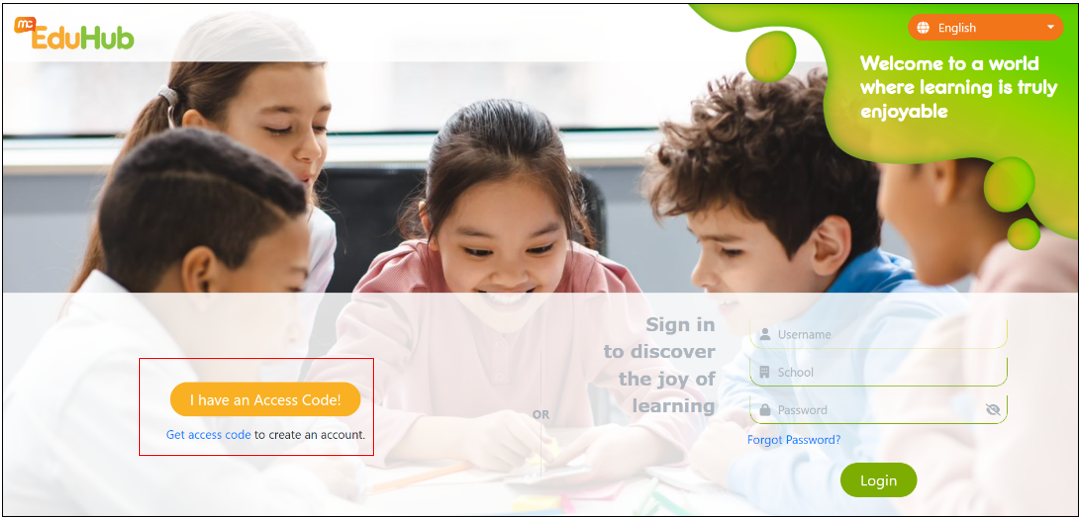
Step 2: Click on 'I have an Access Code!'
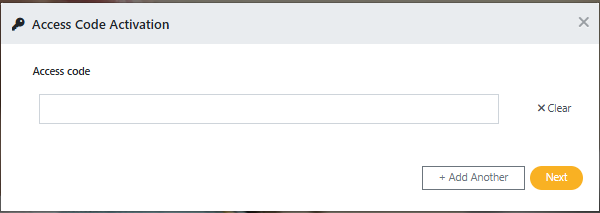
Step 3: Activate your item by keying in the access code provided in the email.
If you are unable to log in due to a missing login ID or password, please visit LINK to obtain the necessary access code and follow the steps to create your account.
If you are unable to log in due to a system outage or another issue, please contact MCE Help Centre at https://mce.freshdesk.com/support/tickets/new.
When submitting the issue, please provide the following details to ensure efficient troubleshooting:
• A detailed description of the issue you encountered.
• Your browser and operating system specifications.
• Screenshots of errors or any other relevant images to assist in diagnosing the problem.
For more information, you can also visit this article for information on What are the browser requirements for MCEduHub
Was this article helpful?
That’s Great!
Thank you for your feedback
Sorry! We couldn't be helpful
Thank you for your feedback
Feedback sent
We appreciate your effort and will try to fix the article