Kindly login to your Student Learning Space account and go to App Library:
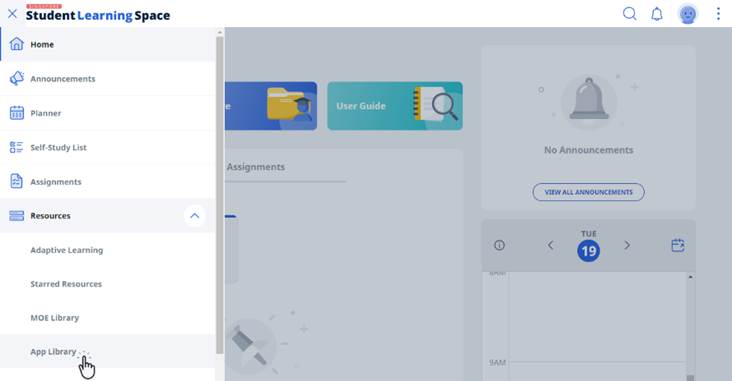
1. Click on App library
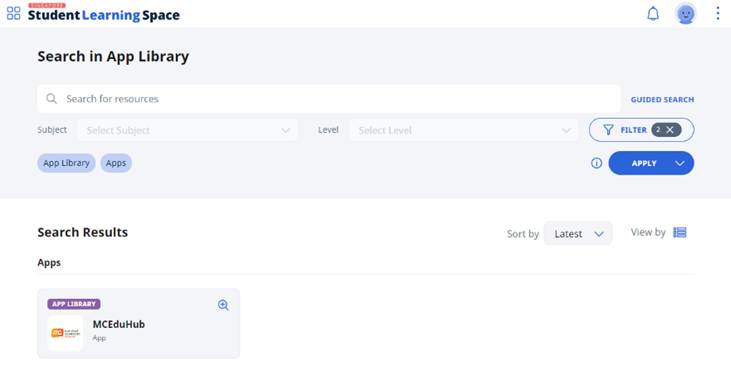
2. Search for MCEduhub App
3. Click to open App
4. Click on your avatar
5. Click on "+ Add Library Resource"
6. Enter the access code and Submit
7. The Ebook will be added to "My Library"
Was this article helpful?
That’s Great!
Thank you for your feedback
Sorry! We couldn't be helpful
Thank you for your feedback
Feedback sent
We appreciate your effort and will try to fix the article