To reset your password, please follow these steps carefully.
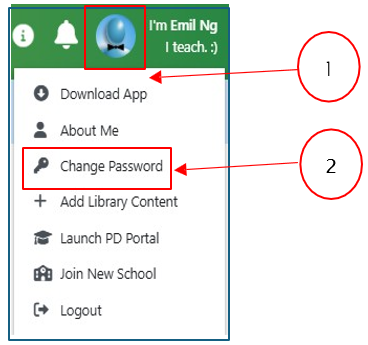
Step 1: Navigating to the “Change Password” option
- Select your avatar located in the upper right-hand corner (Pointer #1) of the screen.
- Click on Change Password (Pointer #2) from the drop-down list.
Step 2: Changing your password
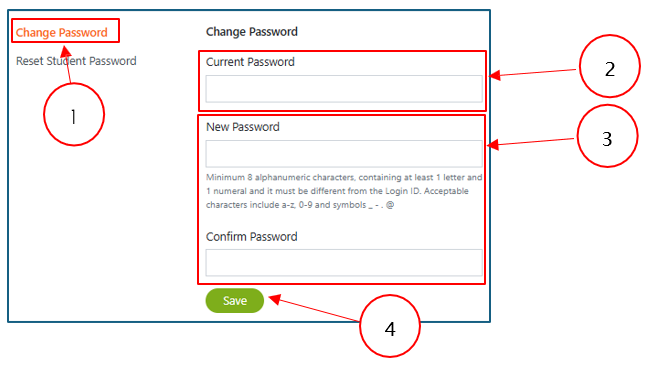
- Navigate to the left panel and select Change Password (Pointer #1).
- At the left panel, click on Change Password and enter your current password, followed by your new password and confirmation password (Pointer #2 and #3).
- Click on Save to update your password (Pointer #4).
Was this article helpful?
That’s Great!
Thank you for your feedback
Sorry! We couldn't be helpful
Thank you for your feedback
Feedback sent
We appreciate your effort and will try to fix the article